ChatGPT User Guide: Understanding Custom Instructions
The Custom Instructions feature lets ChatGPT take your own instructions into account, so you don't have to repeat certain information every time it generates a response.
ChatGPT’s Custom Instructions feature is one of the powerful features developed by OpenAI. It lets ChatGPT take your own instructions into account, so you don’t have to repeat certain information every time ChatGPT generates a response.
What Are Custom Instructions?
Custom Instructions is a feature that reflects your preferences and requirements: you set it once, and it applies to every conversation. This way you get responses that fit a specific topic or format without having to restate your preferences each time. The feature makes conversations more efficient and helps save you time.
How Custom Instructions Work
ChatGPT understands the instructions you provide and generates answers accordingly. In the process, ChatGPT uses natural language processing to analyze your instructions and adjusts its answers to match them. For example, given the instruction ‘I want concise, clear answers,’ ChatGPT leaves out unnecessary information and generates answers that include only the key points.
How to Use Custom Instructions
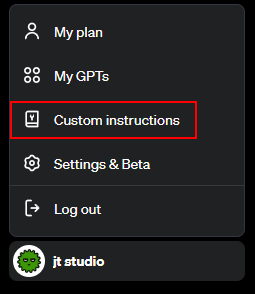
2. Click Custom Instructions in the lower left of ChatGPT.
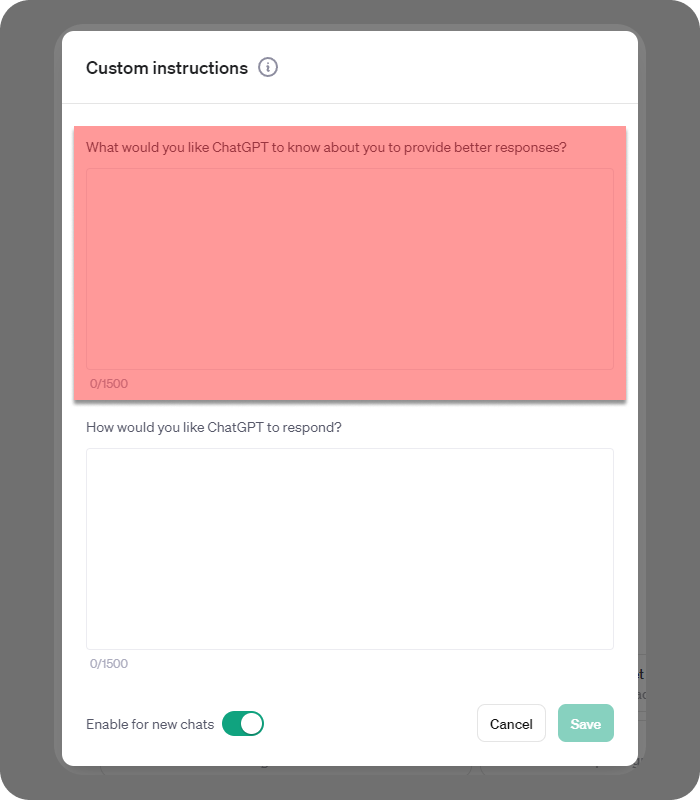
3. In the first box, give ChatGPT information about yourself.
- Work-related information: If you have a specific job or role (e.g. developer, teacher, researcher), telling ChatGPT about it lets it give more useful answers in the relevant context.
- Personal preferences: You can share your interests or hobbies on specific topics.
- Specific requirements: For example, if you are creating learning materials, you can provide information such as the education level or the students’ ages.
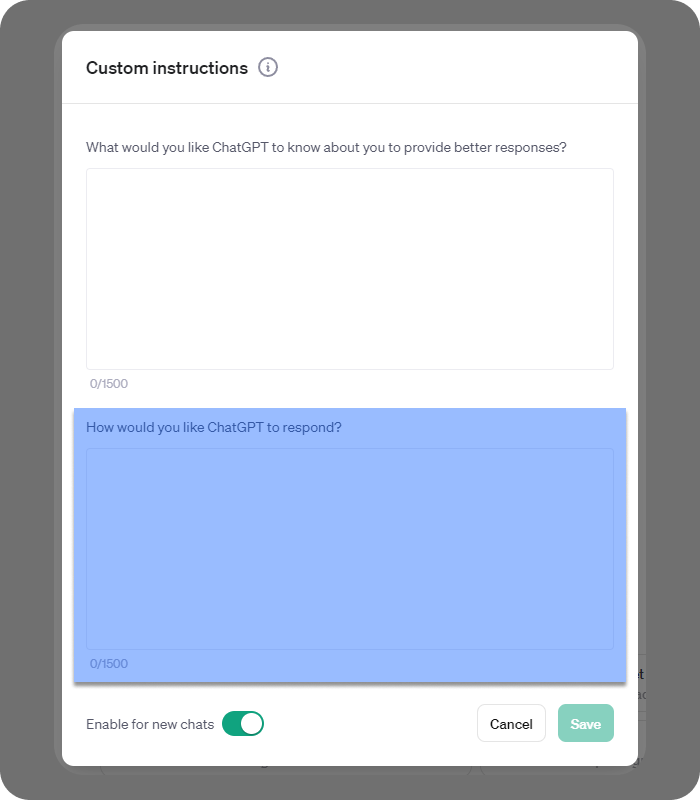
4. In the second box, customize how ChatGPT responds.
- Response format: You can specify that you want information as lists, tables, summaries, detailed explanations and so on.
- Level of detail: You can state whether you prefer a brief summary or a detailed explanation.
- Specific language style: For example, you can ask for more concise language, or friendly and formal language.
Once you provide the information above in Custom Instructions, ChatGPT keeps taking it into account in later conversations. You can edit your Custom Instructions later.
Custom Instructions Examples
Example 1) Custom Instructions for Teachers
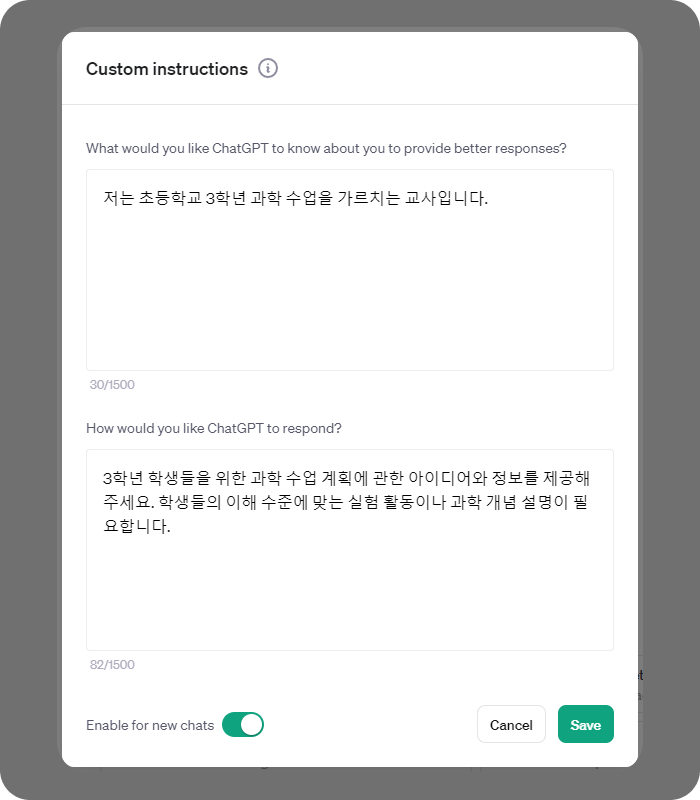
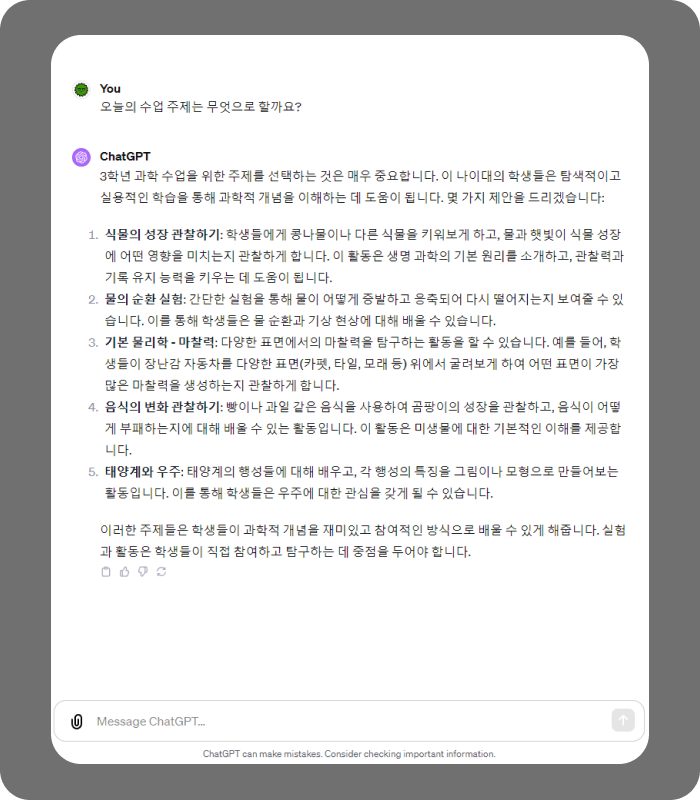
You can tell ChatGPT that you teach 3rd-grade science and ask for information and ideas suited to your lesson plans. ChatGPT understands this instruction and gives answers about scientific concepts and activities at the level of 3rd-grade students.
Example 2) Custom Instructions for Bloggers
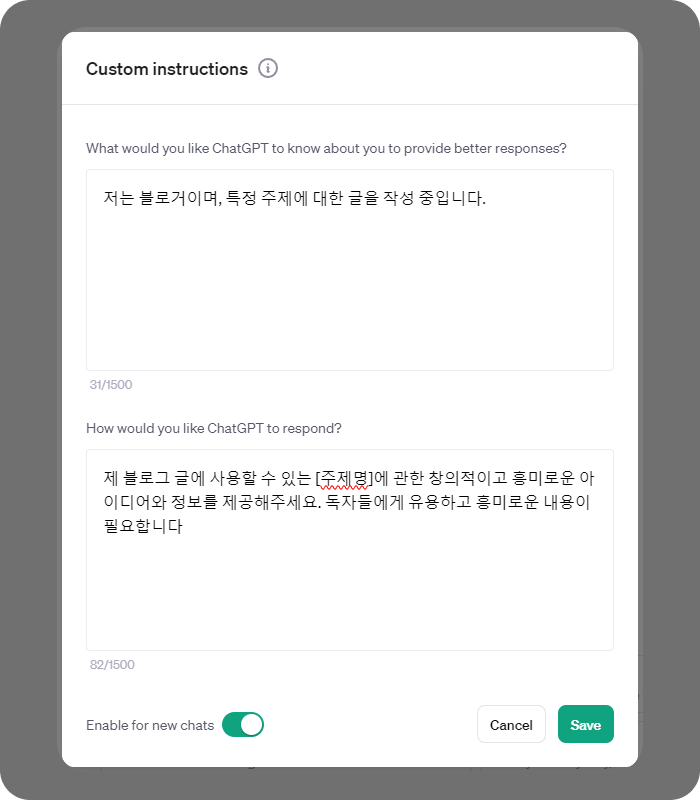
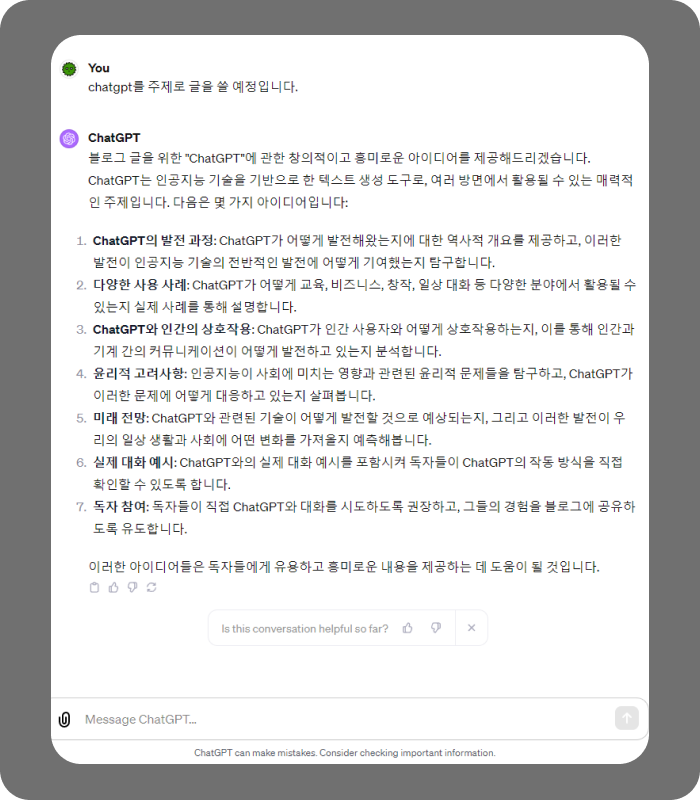
If you tell ChatGPT your role as a blogger and give it instructions, it can provide creative and interesting ideas and information on specific topics.
We’ve looked at ChatGPT’s Custom Instructions, including how to use them and some examples. With Custom Instructions, you can tailor ChatGPT’s answers to your situation and get more satisfying responses. Try the Custom Instructions feature to use ChatGPT more efficiently.
Nov.2023By Studio JT