Instagram API: How to Get an ACCESS TOKEN
How to register a client and get an Access Token to use the Instagram OPEN API.
The Problem
More and more blogs and websites now pull in and display their owner’s Instagram photos.
With the Instagram OPEN API you can load photos from your account, a specific hashtag or a specific location, but to do this you need an Access Token. (Authentication method)
Here is how to get an Access Token to use the Instagram API.
How to Get One
1. Go to the Instagram Developer Center and register a new client.
Go to https://www.instagram.com/developer/ and log in, then go to Manage Clients -> Register a New Client and register the new client that will connect to Instagram.
(You need a Client ID to get an Access Token, so you must complete the client registration step.)
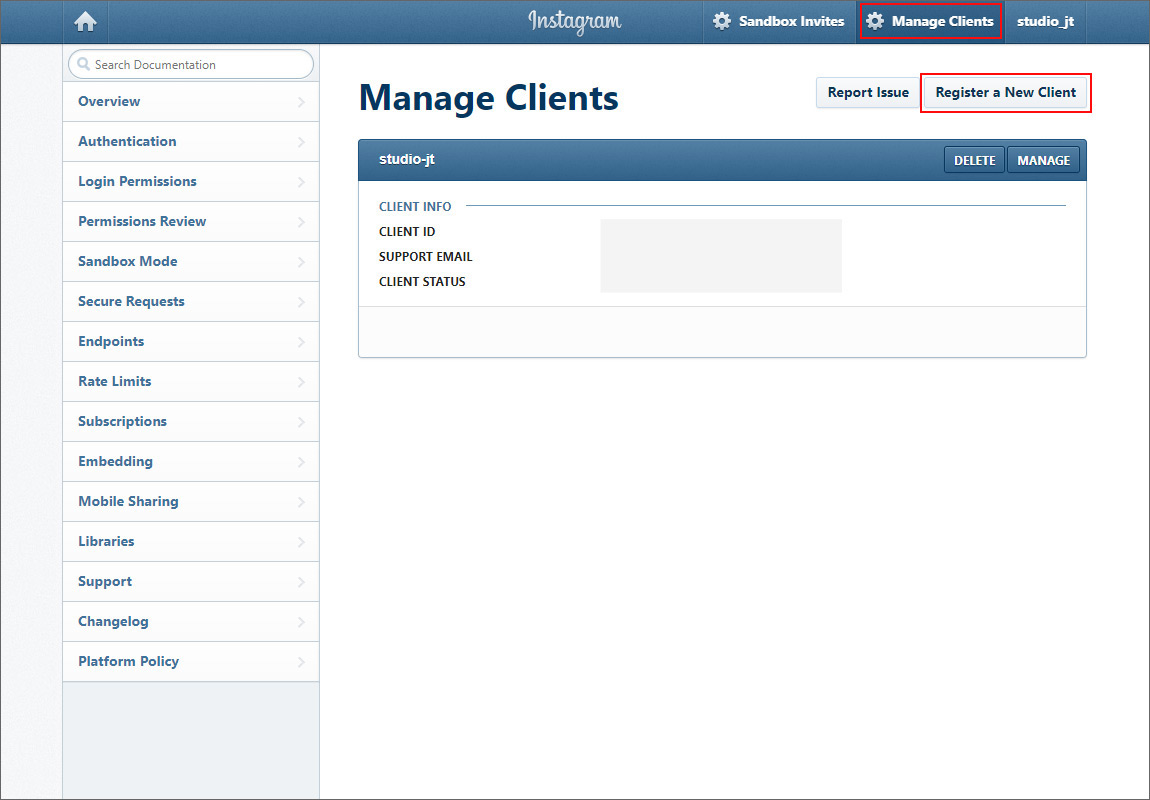
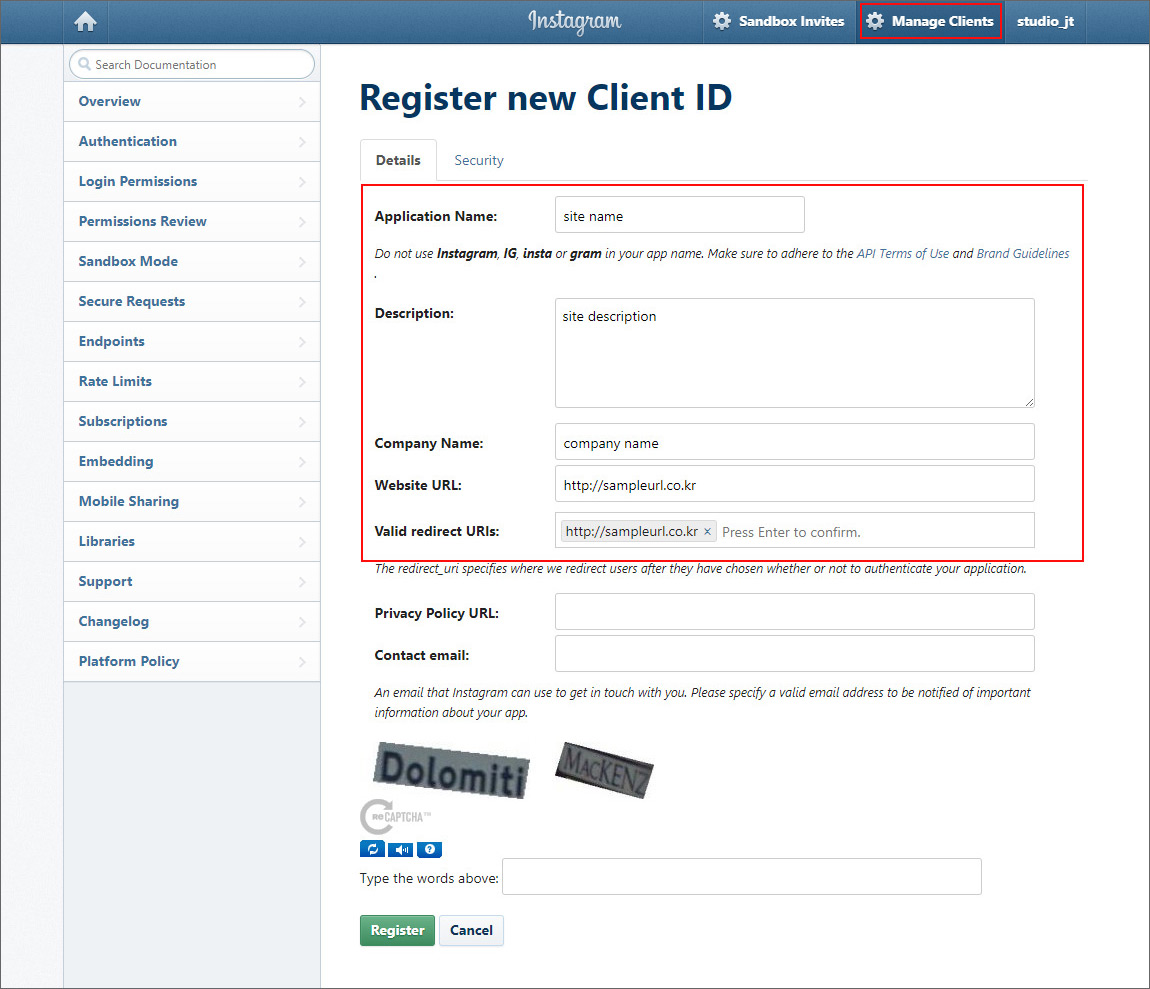
2. Enter the client information.
On the [Details] tab, enter your website’s basic information.
For Website URL and Valid redirect URIs, enter your real website address, including http://.
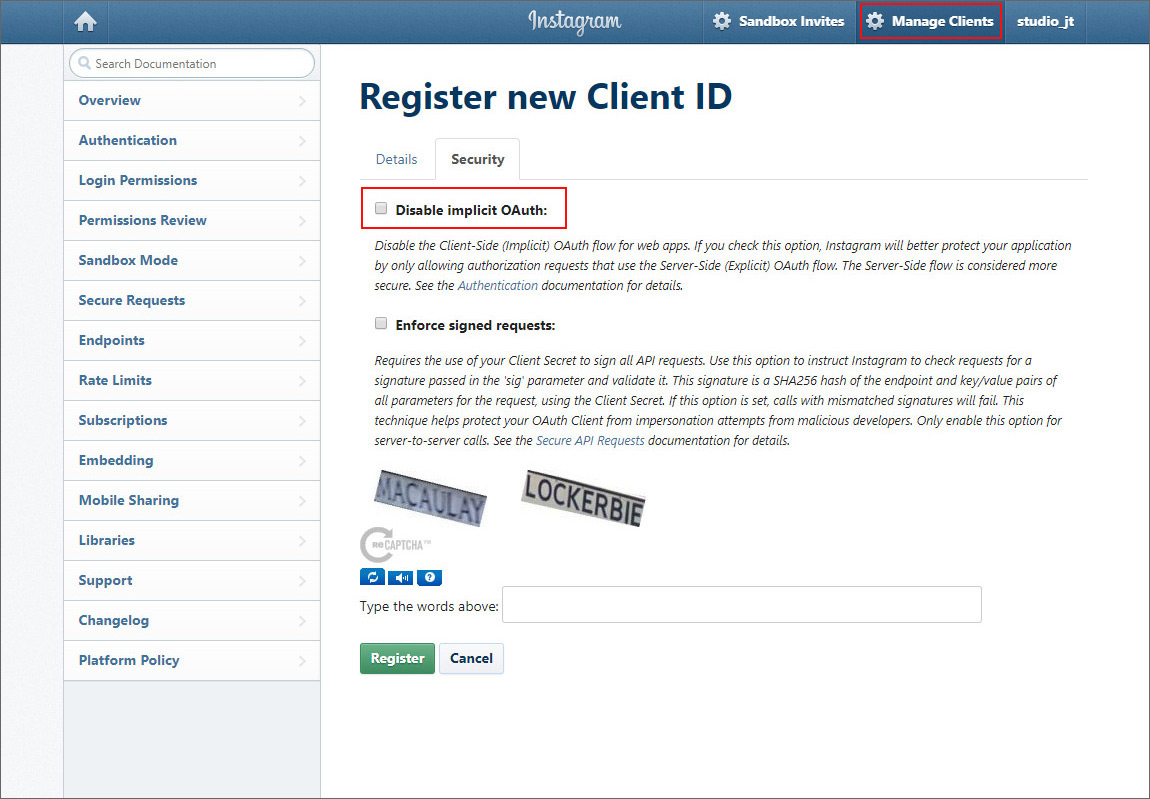
On the [Security] tab, uncheck the Disable implicit OAuth checkbox (so that Instagram data can be embedded publicly on your website), then submit the client registration.
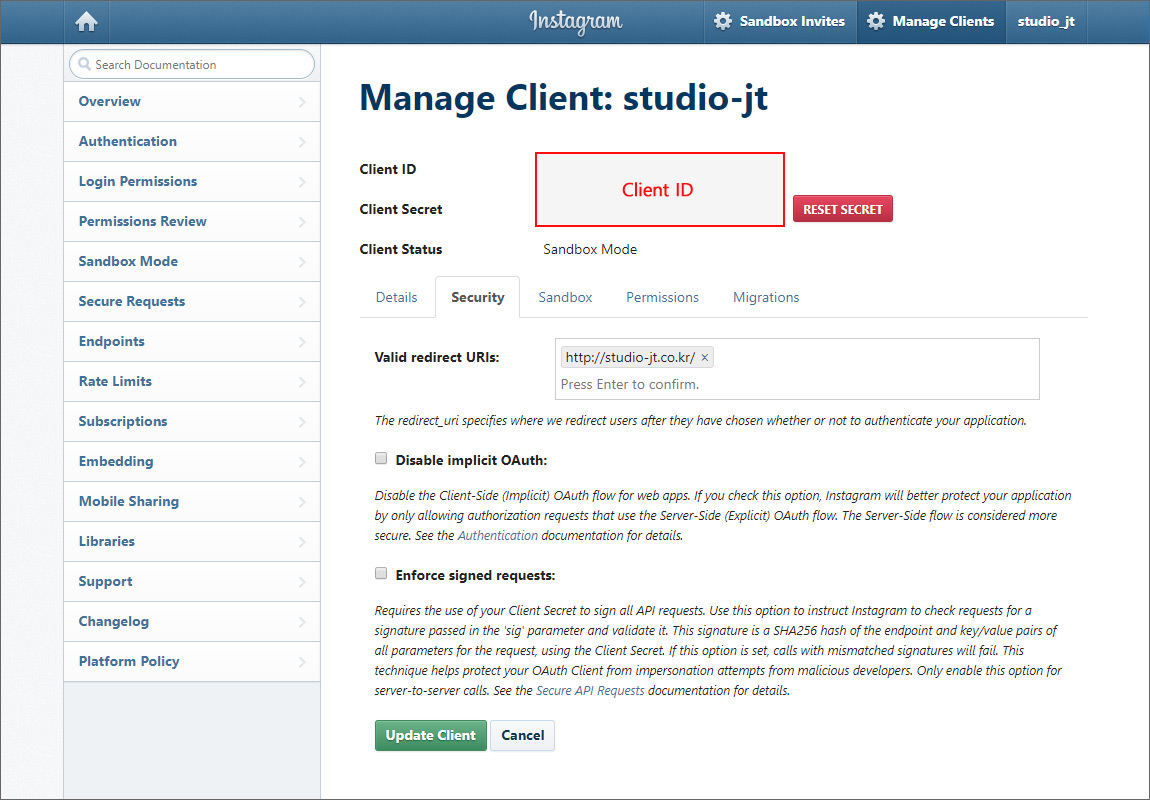
3. Check the registered client’s information.
Go to the Manage Clients page to see the client you registered.
Click the [MANAGE] button in the list to open the details page.
Note down the Client ID and REDIRECT-URI shown on the details page.
4. Get the Access Token.
Copy the URL below, replace CLIENT-ID and REDIRECT-URI with the Client ID and REDIRECT-URI you noted above, and press Enter. The TOKEN value is returned.
https://api.instagram.com/oauth/authorize/?client_id={CLIENT-ID}&redirect_uri={REDIRECT-URI}&response_type=token
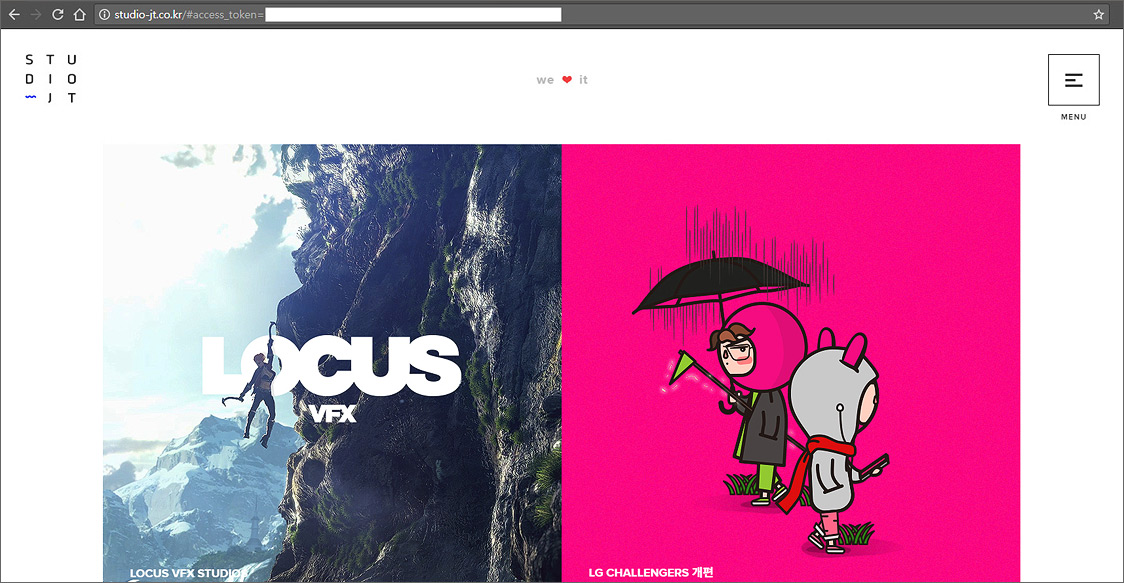
Notes
Getting a CODE
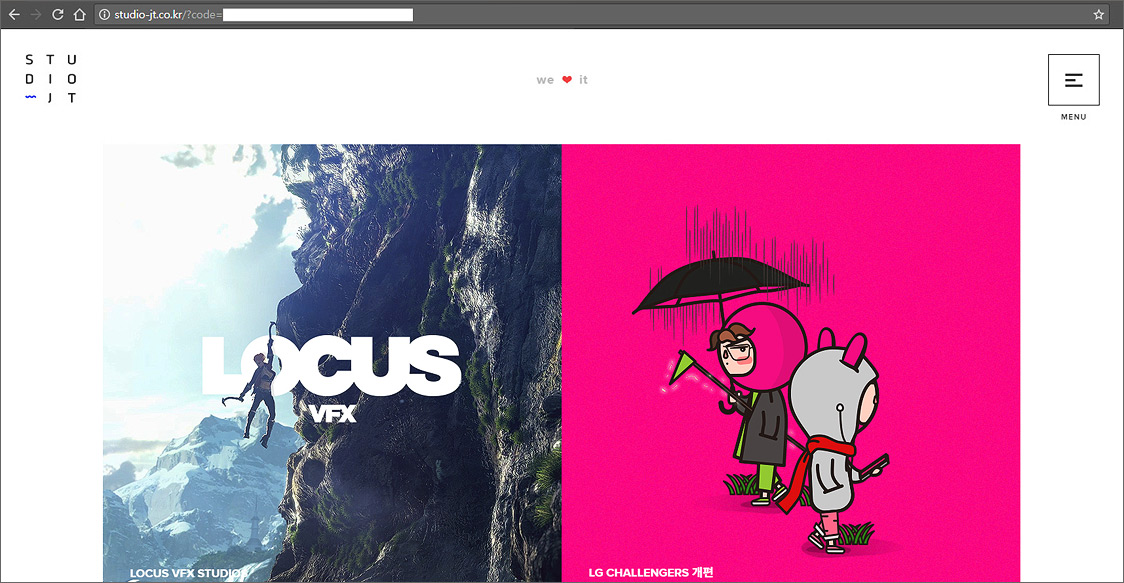
If you handle Instagram data on the server side instead of the client side, a CODE value is required instead of an Access Token.
As with the Access Token, copy the URL below, replace CLIENT-ID and REDIRECT-URI with the Client ID and REDIRECT-URI you noted, and press Enter. The CODE value is returned.
https://api.instagram.com/oauth/authorize/?client_id={CLIENT-ID}&redirect_uri={REDIRECT-URI}&response_type=code
Finding Your User ID
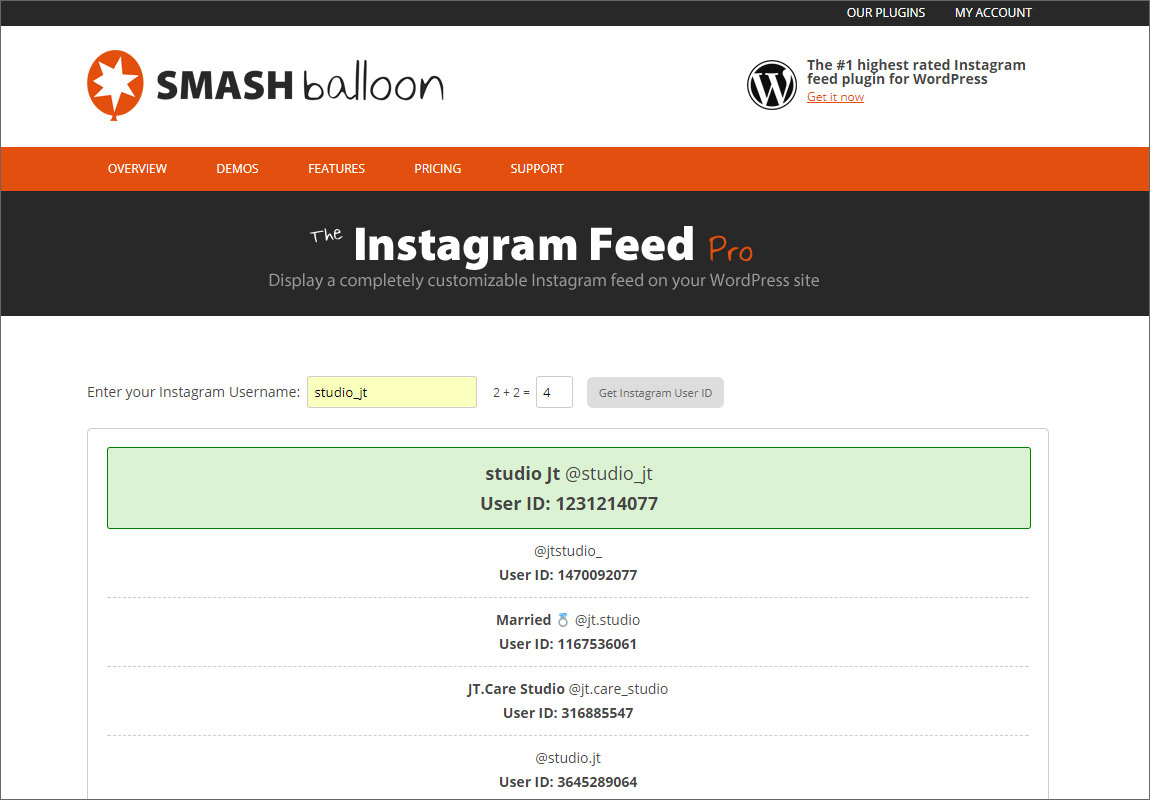
Some jQuery plugins that help with Instagram integration ask for your Instagram User ID.
In that case, go to the Instagram User ID lookup site, enter the UserName of the Instagram account, and click the ‘Get Instagram User ID’ button to easily find that account’s User ID.
References
Instagram Authentication Doc.: https://www.instagram.com/developer/authentication/
Jul.2017By Studio JT