Ad-Free YouTube to MP3 Extraction Sites and a Guide to Copyright Infringement
Download YouTube audio as high-quality MP3s without any ads.
At some point, everyone needs to extract audio from YouTube. Usually it’s because the track you want isn’t on other music platforms and is only available on YouTube. In this post, we’ll cover how to extract audio from YouTube, sites that let you download YouTube audio as MP3, and copyright infringement.

What Is YouTube Audio Extraction?
YouTube audio extraction means pulling the music from a YouTube video and saving it in a format such as MP3. Countless songs and videos that aren’t on music platforms are uploaded to YouTube, so audio extraction is a very useful feature. Anyone can easily extract and save audio.
How to Extract Audio from YouTube
Using a Program
YouTube audio extraction programs offer a variety of features and options. To use one, install the program, set the options you want, then copy and paste a YouTube link to extract the audio. Some programs also offer features that speed up downloads or improve sound quality.
Here’s how to use one
1. Download the program and set it up
2. Copy the video URL from YouTube
3. Enter the copied YouTube link
4. Download
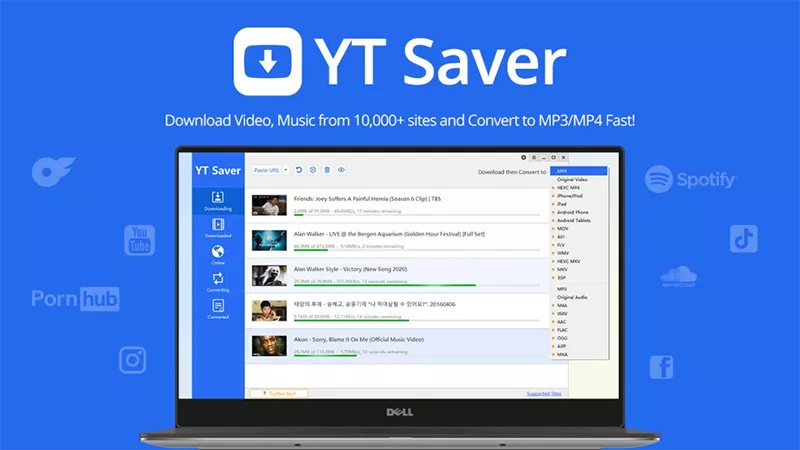
- YT Saver YouTube Downloader Go to the site
- Downloads audio and video from many music sharing platforms, including YouTube Music, Spotify, Apple Music, Tidal, Amazon Music, and Bandcamp
- Downloads audio in many formats, including high-quality MP3 320kbps, WAV, FLAC, and AAC
- Easy-to-use interface and fast download speeds
- No ads
1. Download and install YT Saver YouTube Downloader: Separate versions are available for Windows and Mac users.
2. Set the output format and quality: Launch YT Saver and choose the output format.
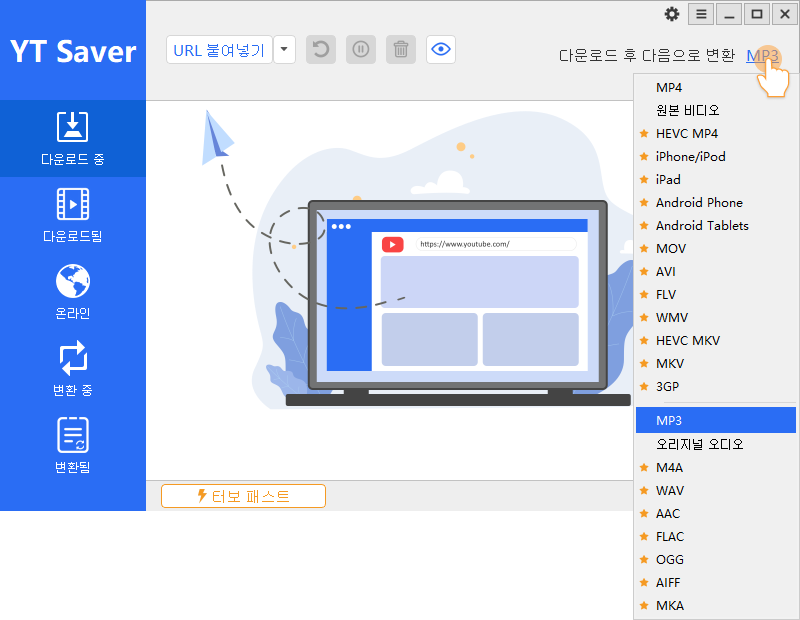
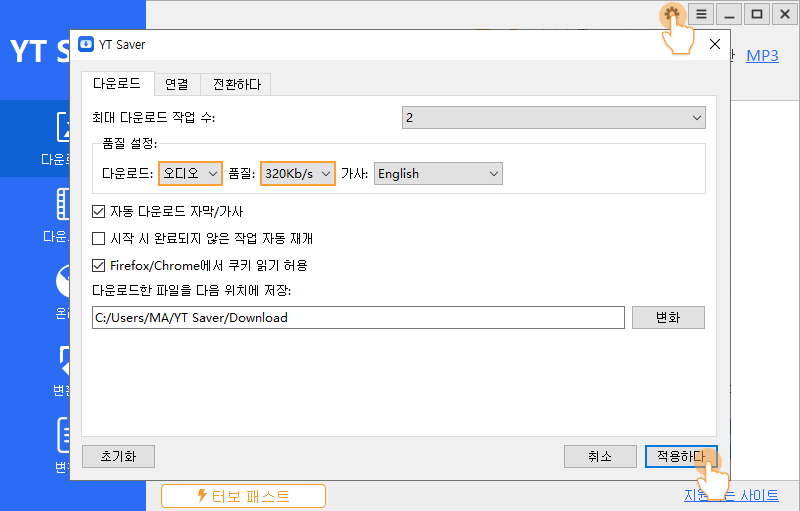
Then go to the settings, where you can choose the output format for the music you download (e.g., mp3) and your preferred quality (e.g., 320 Kb/s).
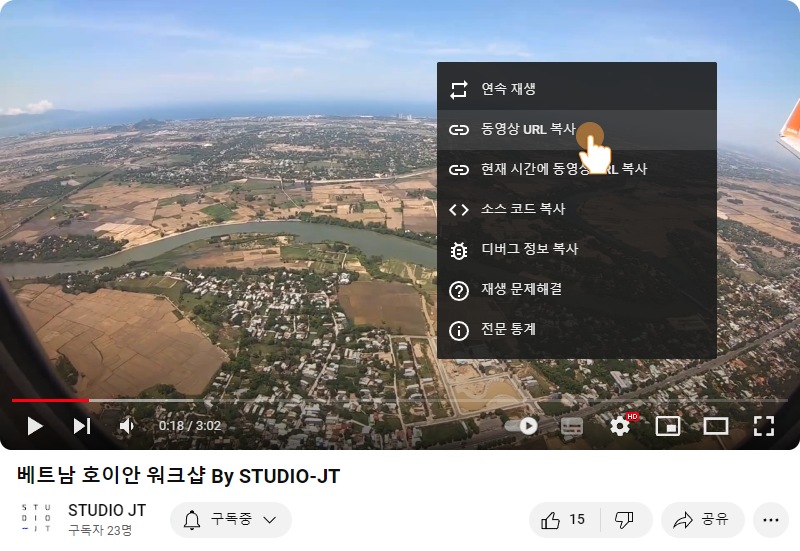
3. Copy the URL of the YouTube video/audio: Go to youtube.com, find the music or playlist you want to download, and copy its URL.

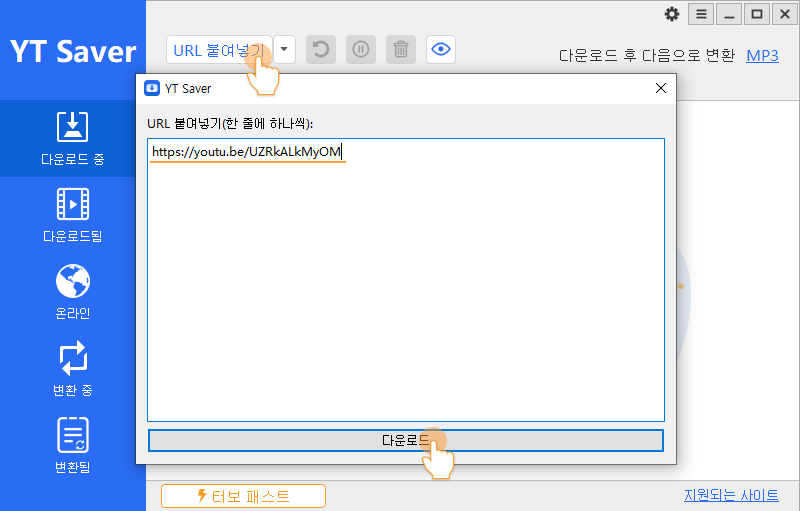
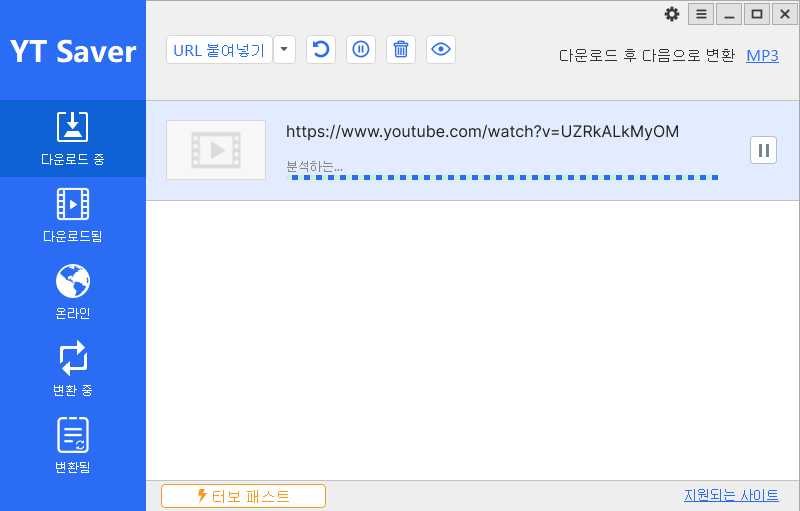
4. Paste the URL and start the download: Go back to YT Saver and click the “Paste URL” button to paste the copied URL. YT Saver then starts downloading the target audio.
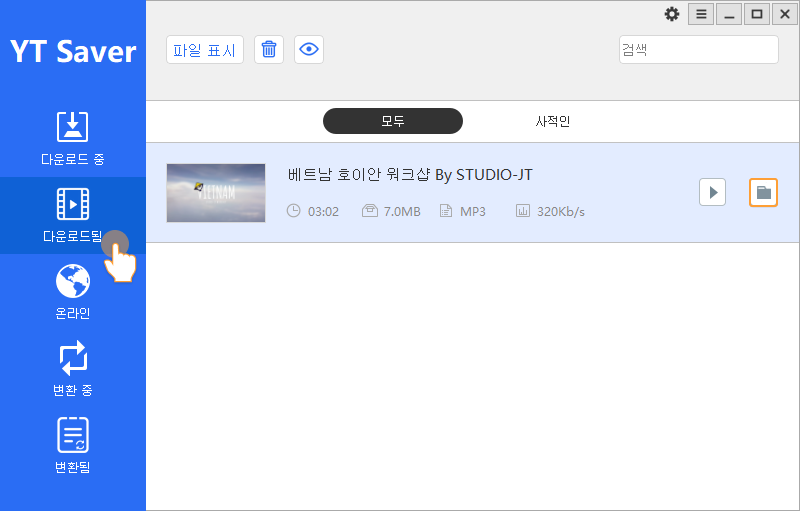
5. Access your downloaded music: Once the download is complete, you can easily find your newly downloaded YouTube audio files in the “Downloaded” tab in the program.
YouTube Audio Extraction and Copyright Infringement
There’s something to keep in mind before you extract YouTube audio! It’s about copyright infringement. It’s very important, so please read the copyright section below even more carefully than the extraction guide.
According to Article 30 (Reproduction for Private Use) of Korea’s Copyright Act, use is permitted for personal purposes or within a limited scope such as the home or its equivalent. However, selling it or using it commercially may violate copyright law. Under Article 136 of the Copyright Act, if extracting YouTube audio constitutes copyright infringement, up to 5 years in prison or a fine of up to 50 million won may be imposed. In that case, the copyright holder can file a lawsuit and also claim civil damages.
So before extracting YouTube audio, be sure to understand copyright infringement and confirm what you’ll use it for before you proceed.
*This post was written with a small fee from YT Saver.
Sep.2023By Studio JT